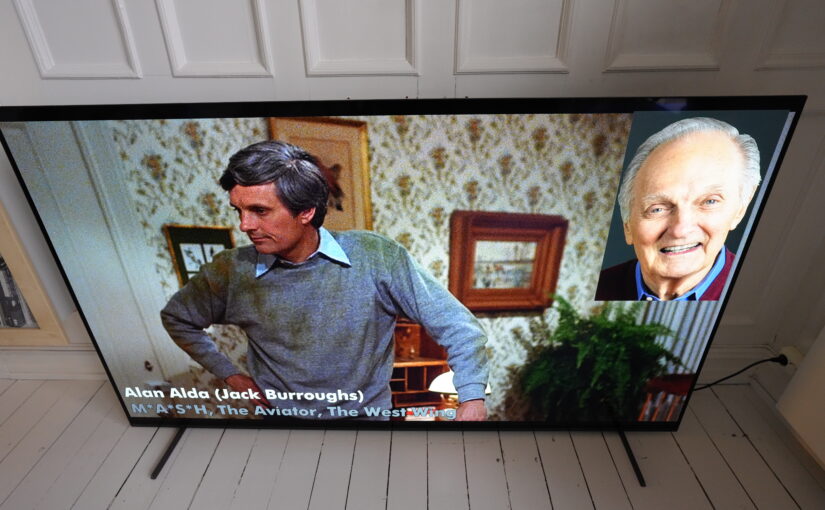
After last night’s post, I realised I was probably just getting too invested in somehow using imdb for the “who’s that actor, anyway?” command for my Emacs-based video player.
Not only is it an extremely fragile setup that’s gonna stop working, but it’s also very slow — it takes half a minute to return the actor profile images.
So I just implemented a tmdb API shim and then I ask it for the actor profile photo instead. tmdb doesn’t have as large a data base, but… The API is free (for non-commercial use) and is extremely easy to use.
Things are now faster:
The main wait is from the response from the LLM — I’m using gemini-3.8-flash. I’ve tried gemini-3.1-flash-lite, and it’s much faster… but gives the wrong result most of the time. No, that’s not Roy Scheider, Gemini!
So now the setup is less Rube Goldberguesque. Sort of:
- I hit a key on my li’l wireless keyboard.
- It’s picked up by a Python script that listens for evdev events.
- It uses emacsclient to notify the Emacs running on the TV machine.
- Emacs there tells mpv to do a screenshot.
- Emacs waits until the screenshot arrives on disc.
- Emacs sends it to Gemini and says “who dis? JSON please”.
- Gemini responds and Emacs then creates an SVG overlay with the actor name.
- rsvg-convert converts to PNG and then imagemagick convert to BGRA.
- Emacs asks mpv to display it.
- Emacs asks tmdb for the actor profile URL and fetches the image.
- If it gets a response, it then recreates the svg with the image embedded.
- (repeat 8-9).
Couldn’t be simpler.